Run your county on one system, not seven.
Permitting, code enforcement, 311, licensing, planning, assets, fleet, and even the IT help desk on a single data core — so residents get served, records stay in one place, and your office stops stitching together vendors that don't talk.
shared data core
priced per module
re-keying
your data any time
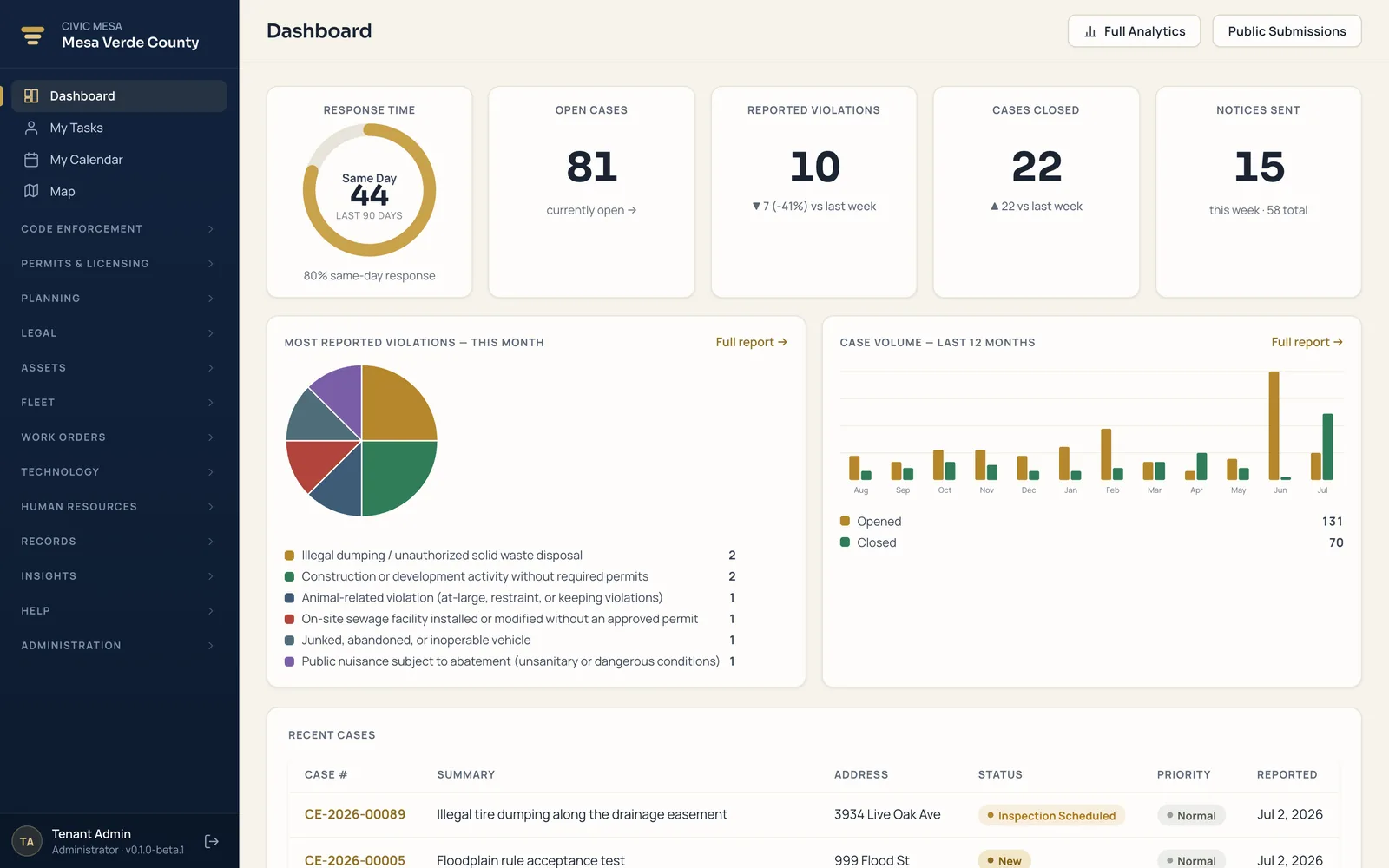
The real staff app your office logs into every day — one login for every module.
Stop running your county on five systems that don't talk.
A permitting vendor here, spreadsheets there, a separate 311 line, paper files in a back room. Civic Mesa puts a permit, a code case, and a work order on the same property, people, and map — one system of record for the whole jurisdiction. Turn on modules as you grow. Nothing gets re-keyed.
 One data coreproperty · people · map
One record, every module
A permit, a code case, and a work order share the same property, owner, and map. Enter an address once; every module that touches it reads the same record.
Add modules as you grow
Start with what hurts most — permits, code enforcement, work orders — and turn on the next when you're ready. It's a switch, not a second migration.
Your data, portable
Export your jurisdiction any time in open formats, and leave a legacy vendor behind with the in-app Import Wizard. No lock-in.
Every function your county runs — grouped the way you're organized.
Eleven modules, sorted by the departments that use them. Turn on the ones a team needs and add the rest later — all on one login, one data core, and one flat, per-module price with every user included.
Development Services
The community-facing work of the county — land use, licensing, and enforcement, from the front counter to the courtroom.
5 modulesCode Enforcement
From resident complaint to closed case — inspections, notices, citations, abatement, and liens on one connected, defensible record.
Code officials · enforcement officers · clerksExplorePermitting & Licensing
Building and site permits alongside business, contractor, food, and alcohol licenses — with fees, renewals, and inspections on each record.
Permit techs · licensing clerks · building deptExplorePlanning & Review
Subdivision, plat, and development review as tracked projects — with a statutory shot-clock so approvals never lapse by operation of law.
Planning staff · review coordinatorsExploreLegal Enforcement
Carry a matter from the code office to the courtroom — citations, court cases, a hearings calendar, abatements, and recorded liens.
Officers · prosecutors · court & finance staffExploreCRM & Public Engagement
One queue for every resident concern, two-way messaging, and a daily field log — from the portal to the field and back.
Intake & front-desk staff · field officersExploreTechnology & Asset Management
Internal services that keep the organization running — your IT department and every asset the county owns.
2 modulesTechnology new
The whole IT department: help desk with SLAs, change management, an IT inventory / CMDB, self-service access requests, and a knowledge base — on one login.
IT directors · help-desk & support staffExploreAssets
Know what you own, who has it, and what it costs to replace — a defensible register with QR labels and a budget-ready replacement forecast.
IT · facilities · public works · financeExploreFleet & Operations
The vehicles, equipment, and maintenance that keep crews on the road and facilities in service.
2 modulesFleet
Every vehicle, mile, and service interval in one record — with preventive-maintenance work orders that write themselves when a service comes due.
Fleet & shop supervisors · motor-poolExploreWork Orders
Every repair, PM, and inspection from request to close-out on a status board — with labor and parts costed automatically.
Public works · facilities · maintenance crewsExploreHuman Resources
Your people, end to end — an applicant tracking system and employee records management in one place.
1 modulePriced per module. Every user included.
You license the modules your county turns on — a flat annual rate for each. Every employee, inspector, clerk, and seasonal hire uses them at no extra cost. No per-seat fees, no counting logins, no surprise true-ups at renewal.
Priced by the login
- Every new hire, inspector, or seasonal worker adds cost.
- Staff share logins or go without access just to save money.
- License audits and headcount true-ups at renewal.
- A budget that moves every time your team does.
Priced by what you turn on
- One flat rate per module — choose exactly the modules you need.
- Unlimited users: give access to every department and every seasonal hire.
- No seat counts, no audits, no reclaiming logins to save a license.
- A predictable line item you can forecast, approve, and defend.
Pay for the modules you use
Start with what hurts most — permits, code, work orders — then add modules as you grow. Each is a flat rate, and nothing you haven't turned on ever shows up on the invoice.
Unlimited users, always
Field officers, clerks, department heads, seasonal crews, and read-only viewers — everyone who needs the system gets in. Your headcount never changes the price.
A budget you can defend
Per-module pricing is a line item you can forecast and take to the board — no mid-year surprises when you hire, and no negotiation over seat tiers.
The whole county, in one place.
Real screens from a live demo jurisdiction — every module your staff work in, on the same login and the same records.
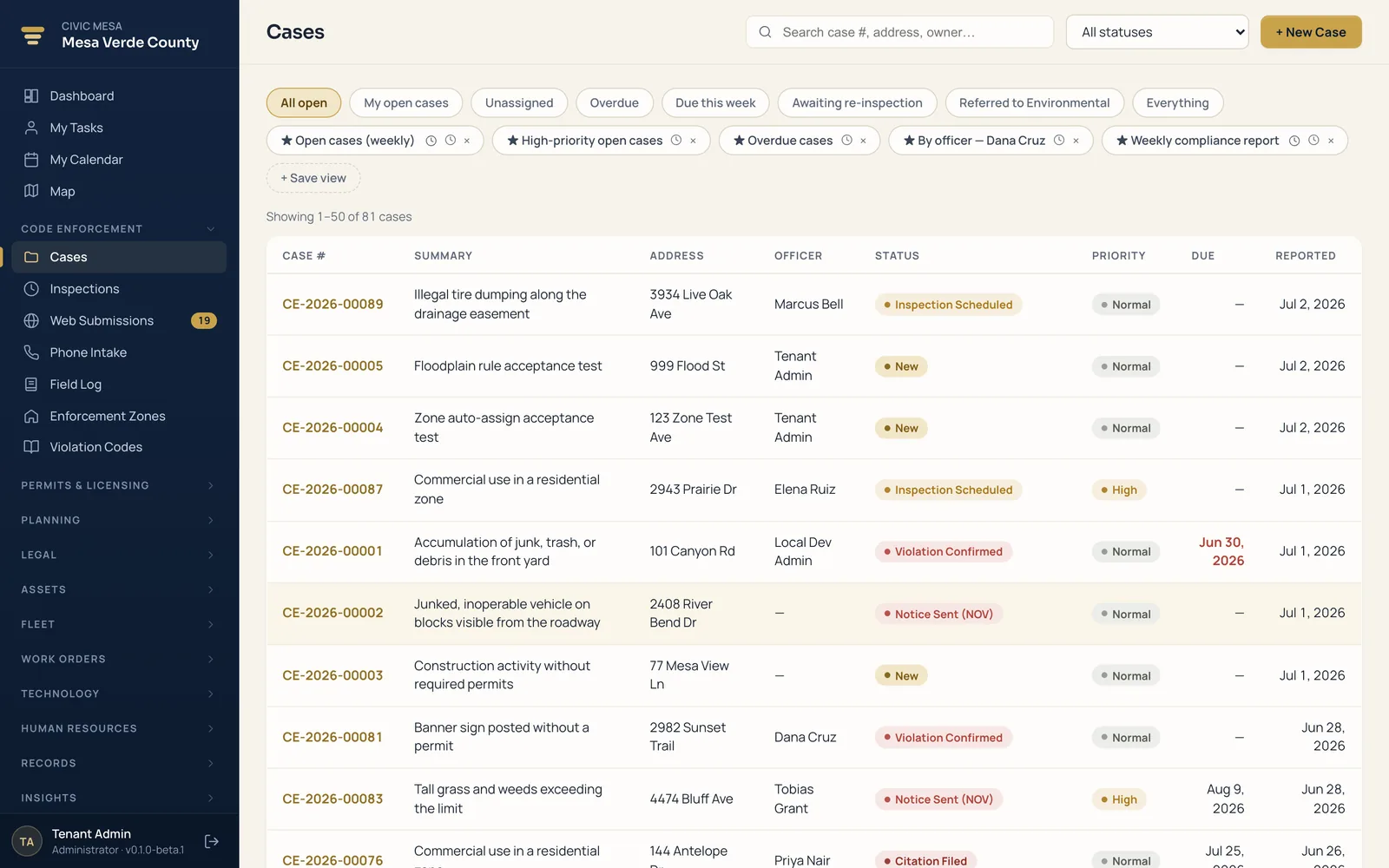
Every case from complaint to closure — inspections, notices, citations, and evidence on one connected record.
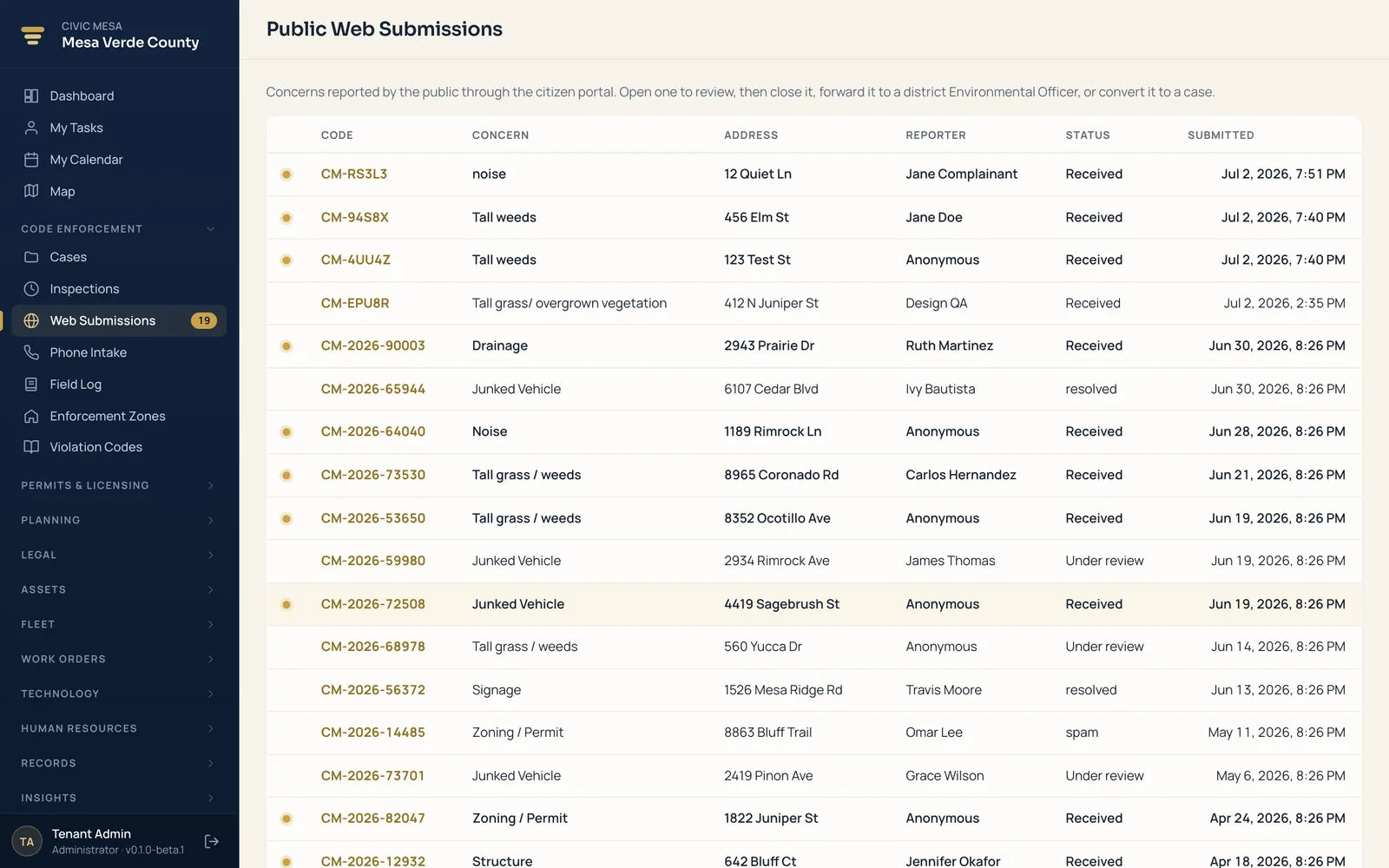
One queue for every resident concern, from the branded portal to the field and back — with two-way messaging.
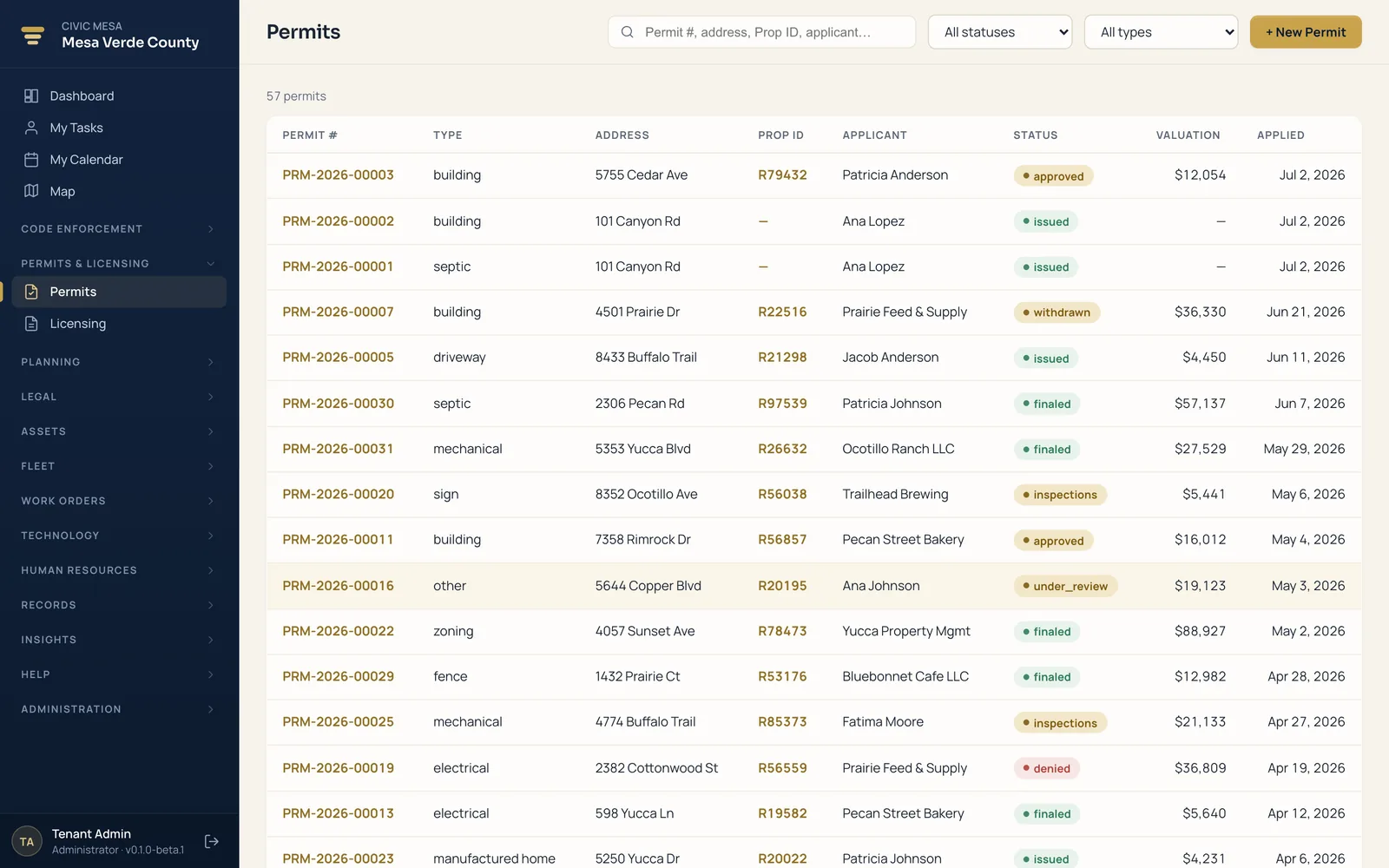
Building permits and business licenses with fees, renewals, and inspections — tied to the property's full history.
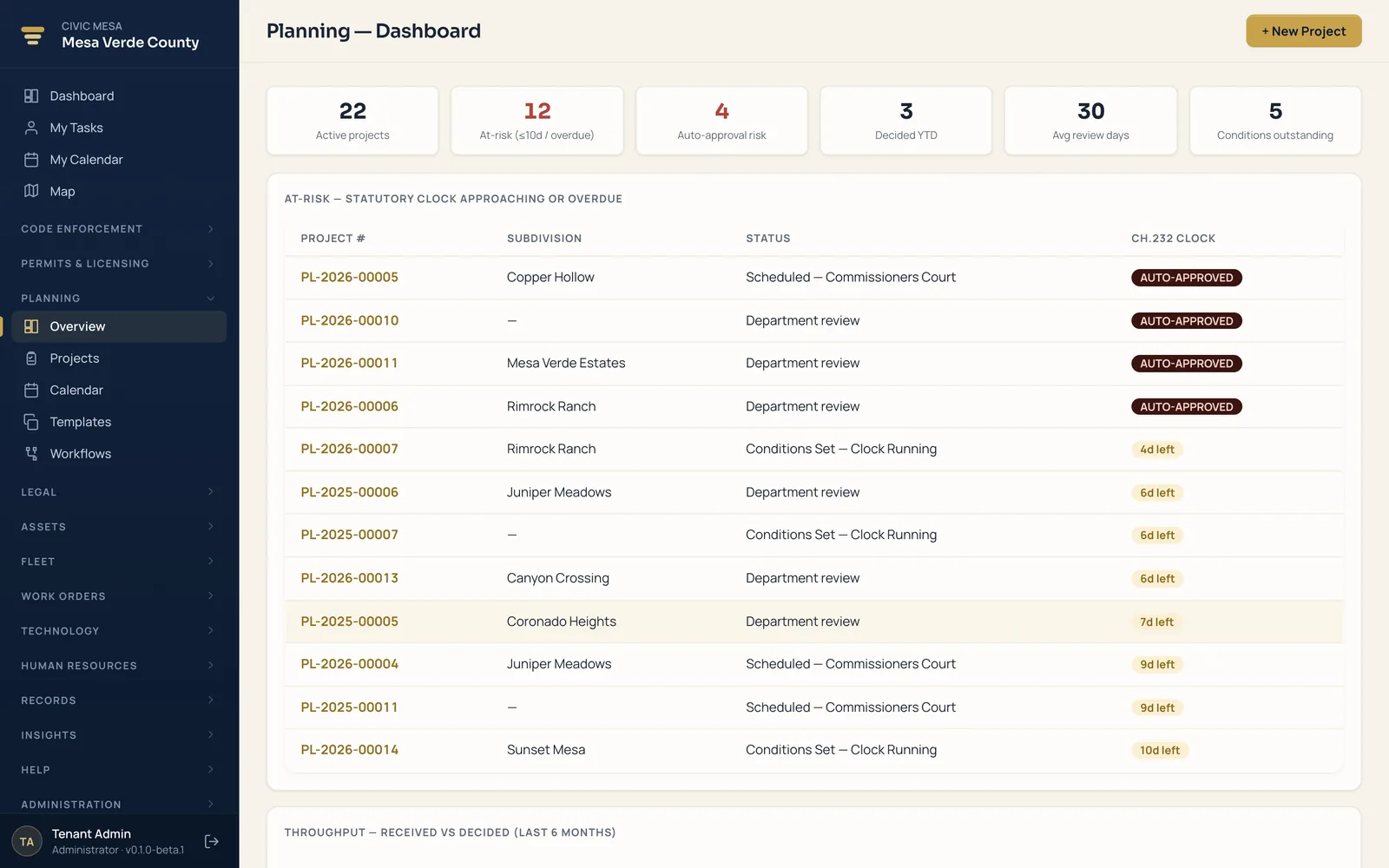
Plat and development review with a statutory shot-clock, so approvals never lapse by operation of law.
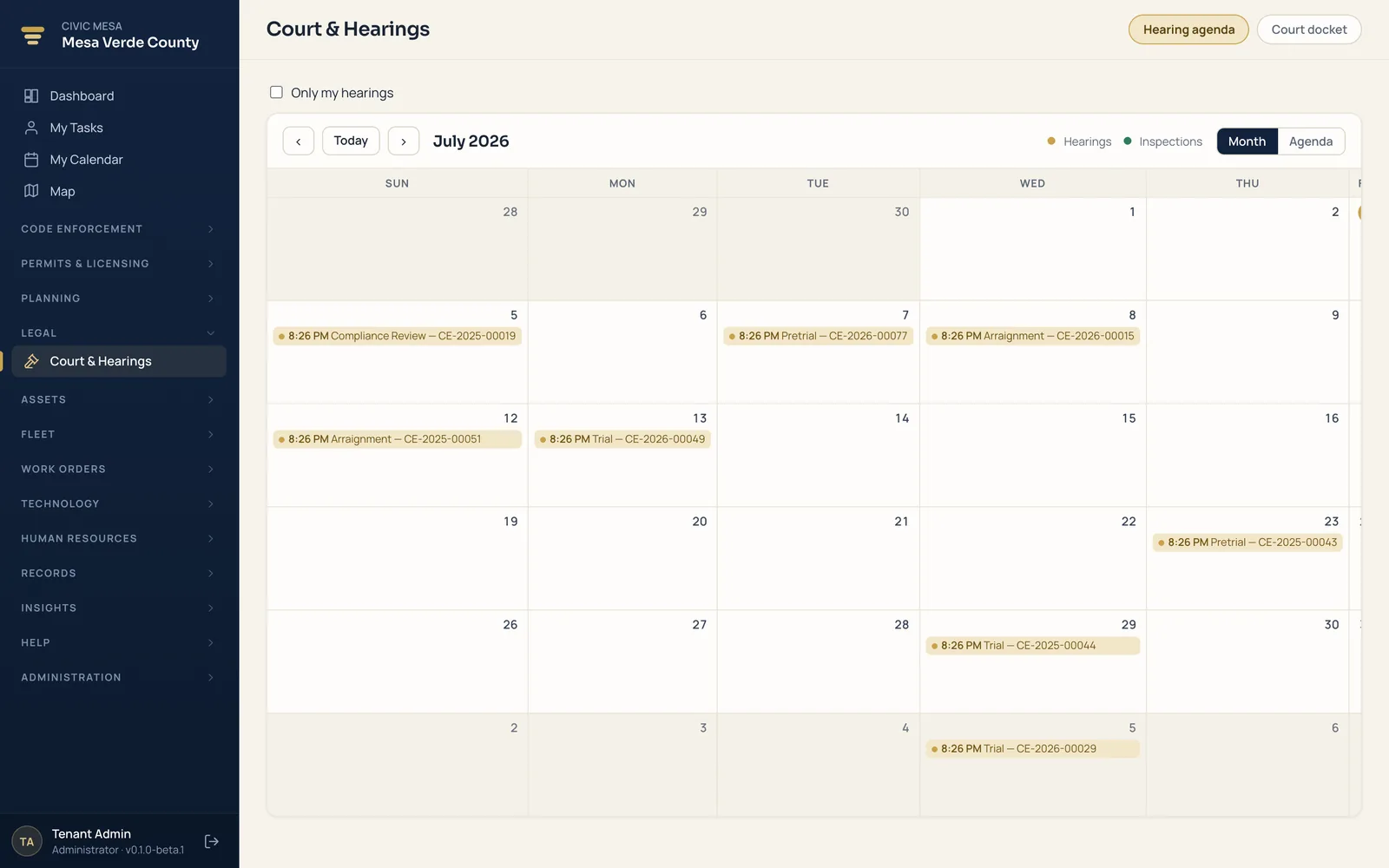
Citations and court cases with a hearings calendar, carried straight from the originating code case.
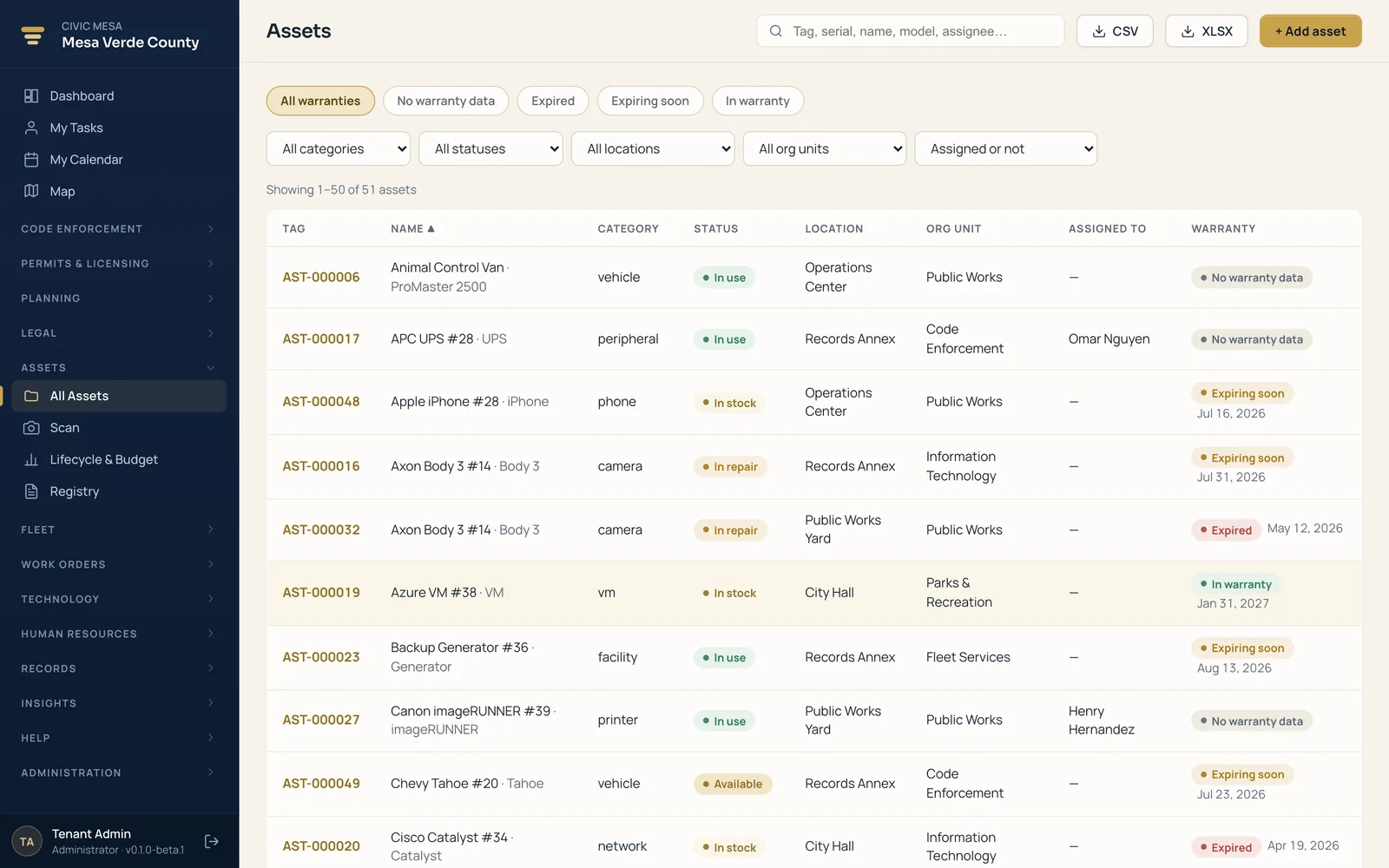
A defensible register of everything you own — with QR custody, warranties, and a replacement forecast.
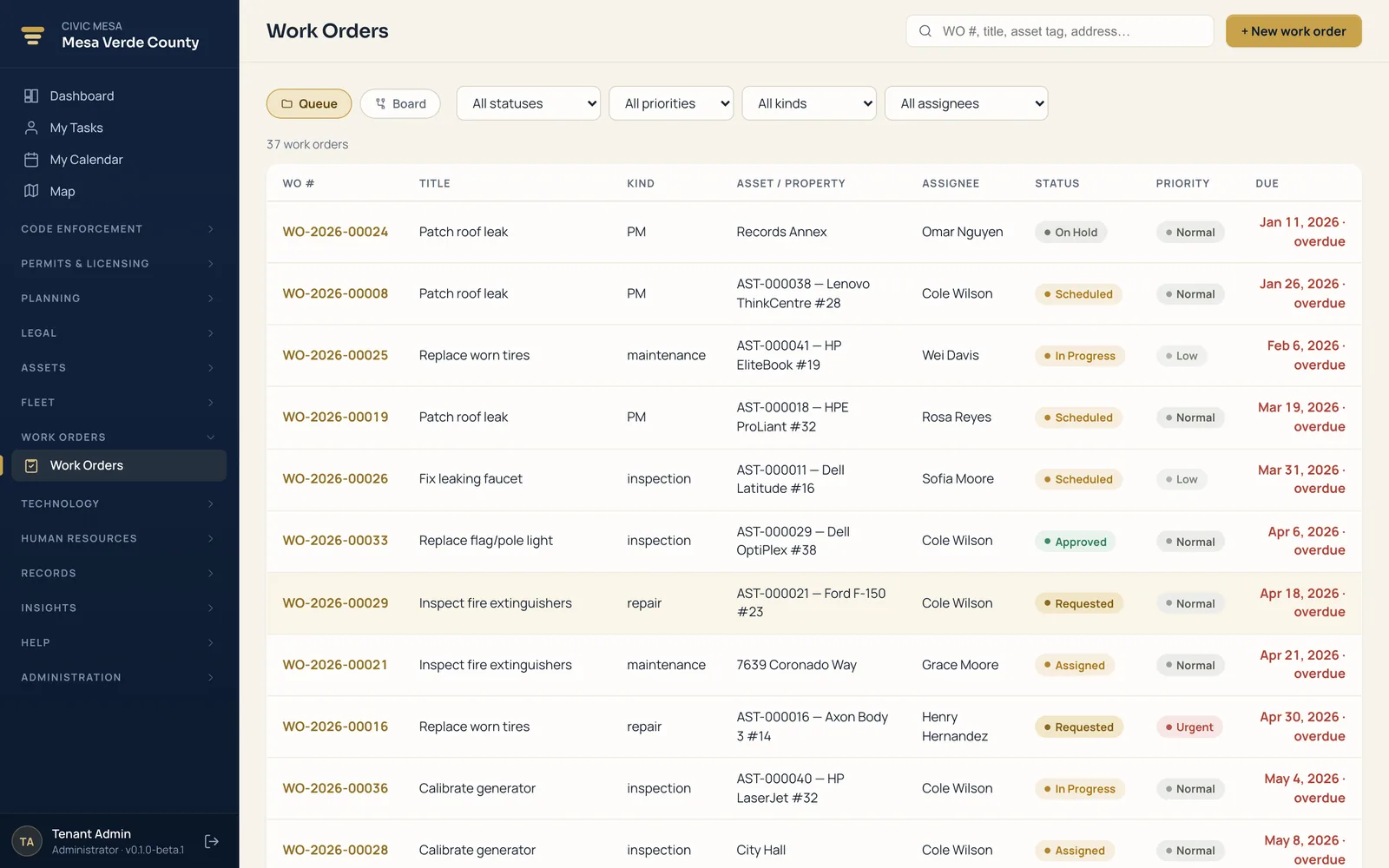
Maintenance and repairs on a status board, with labor and parts costed automatically as the job moves.
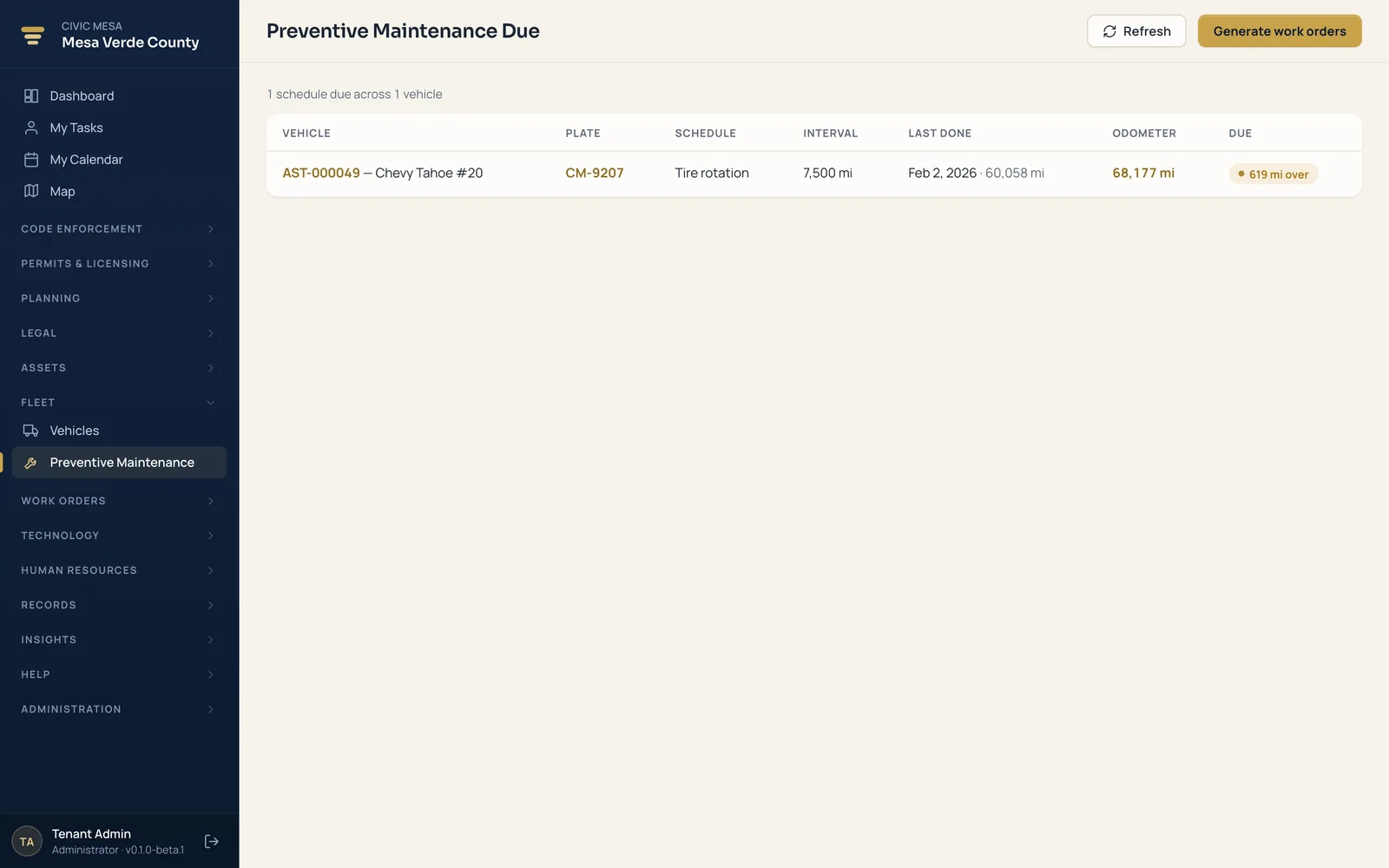
Every vehicle and service interval, with preventive-maintenance work orders that write themselves when a service comes due.
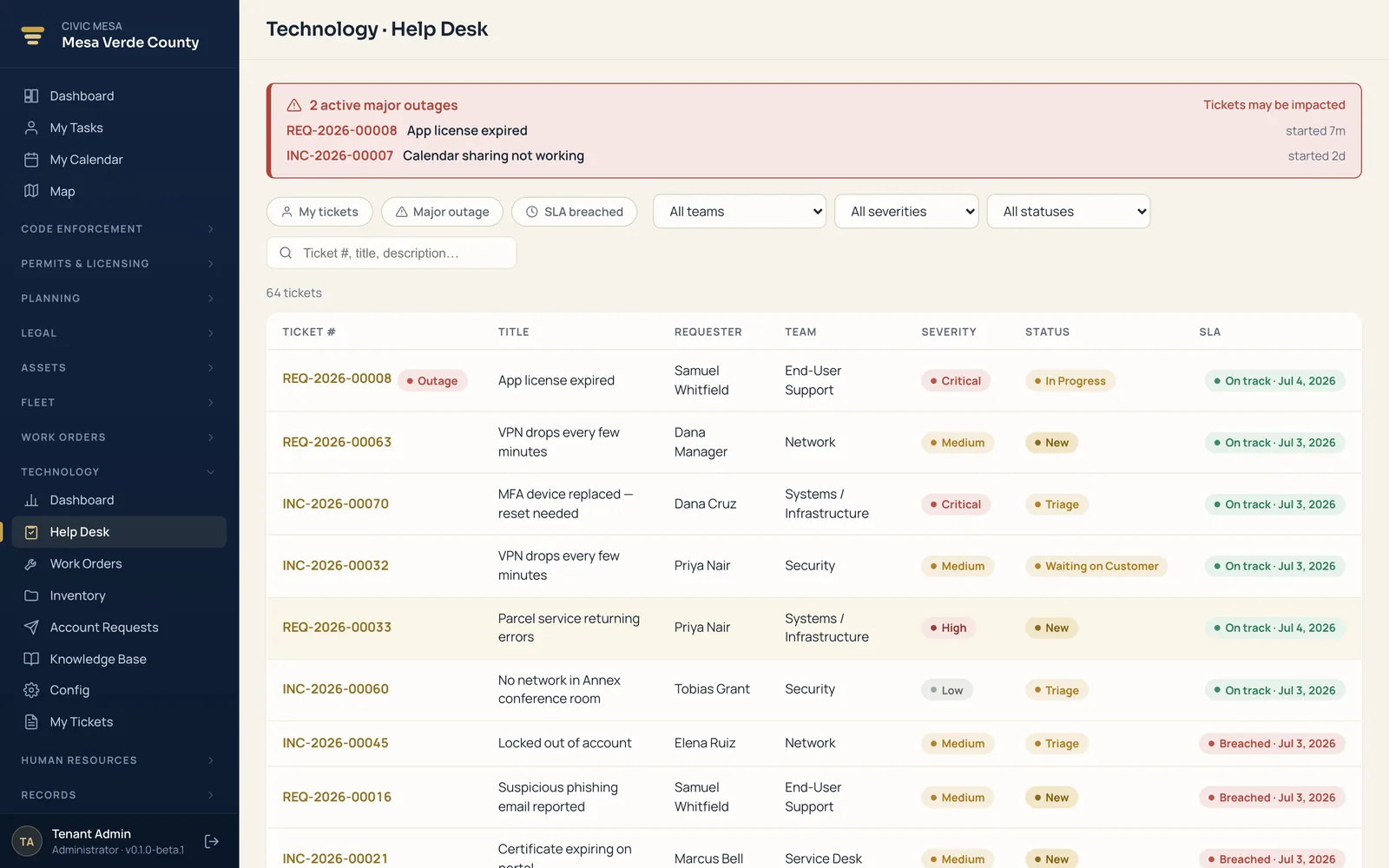
A full IT department — help desk with SLAs, change management, an IT inventory / CMDB, and access requests.
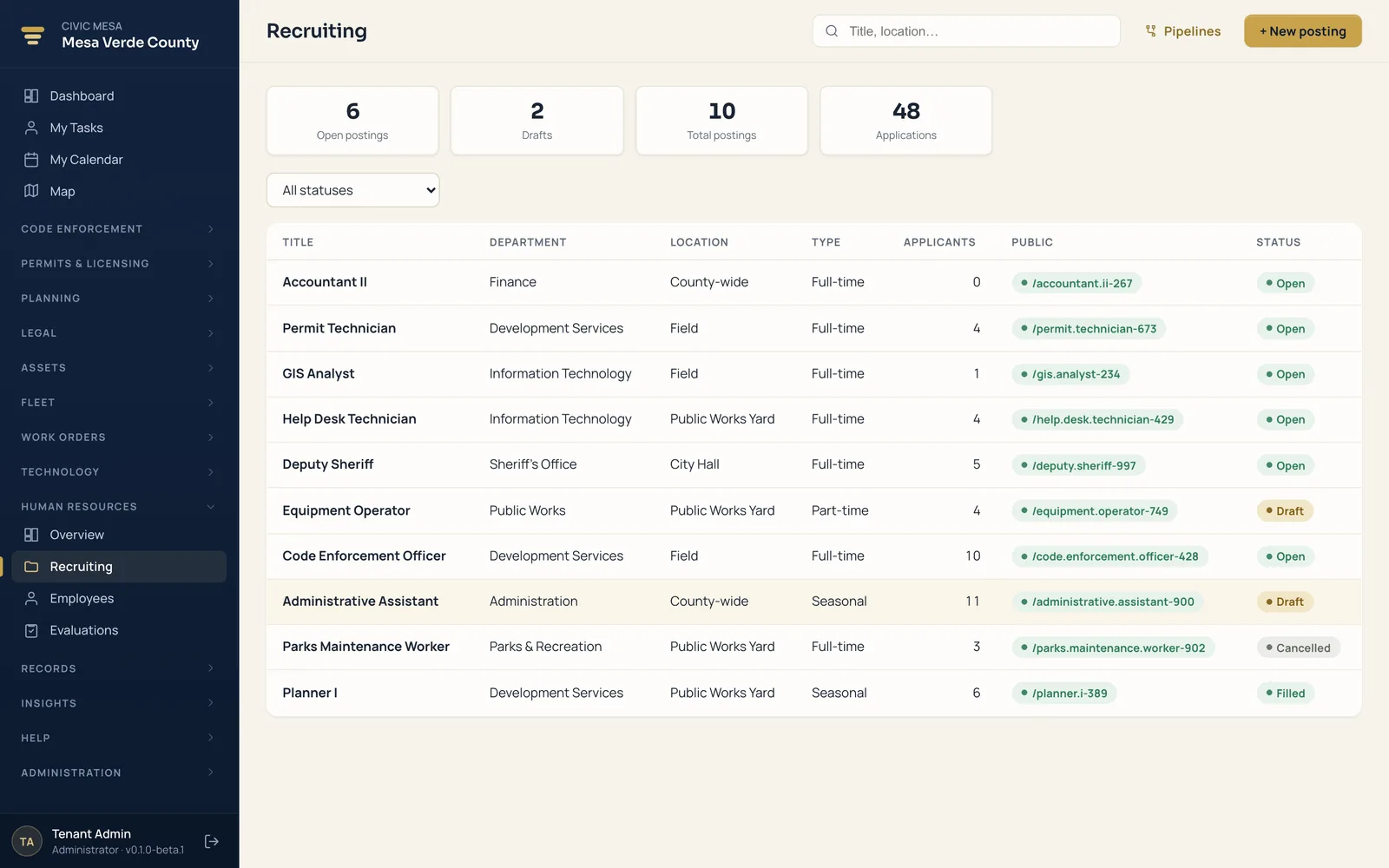
Applicant tracking from posting to hire, an employee directory, and performance evaluations with an electronic personnel file.
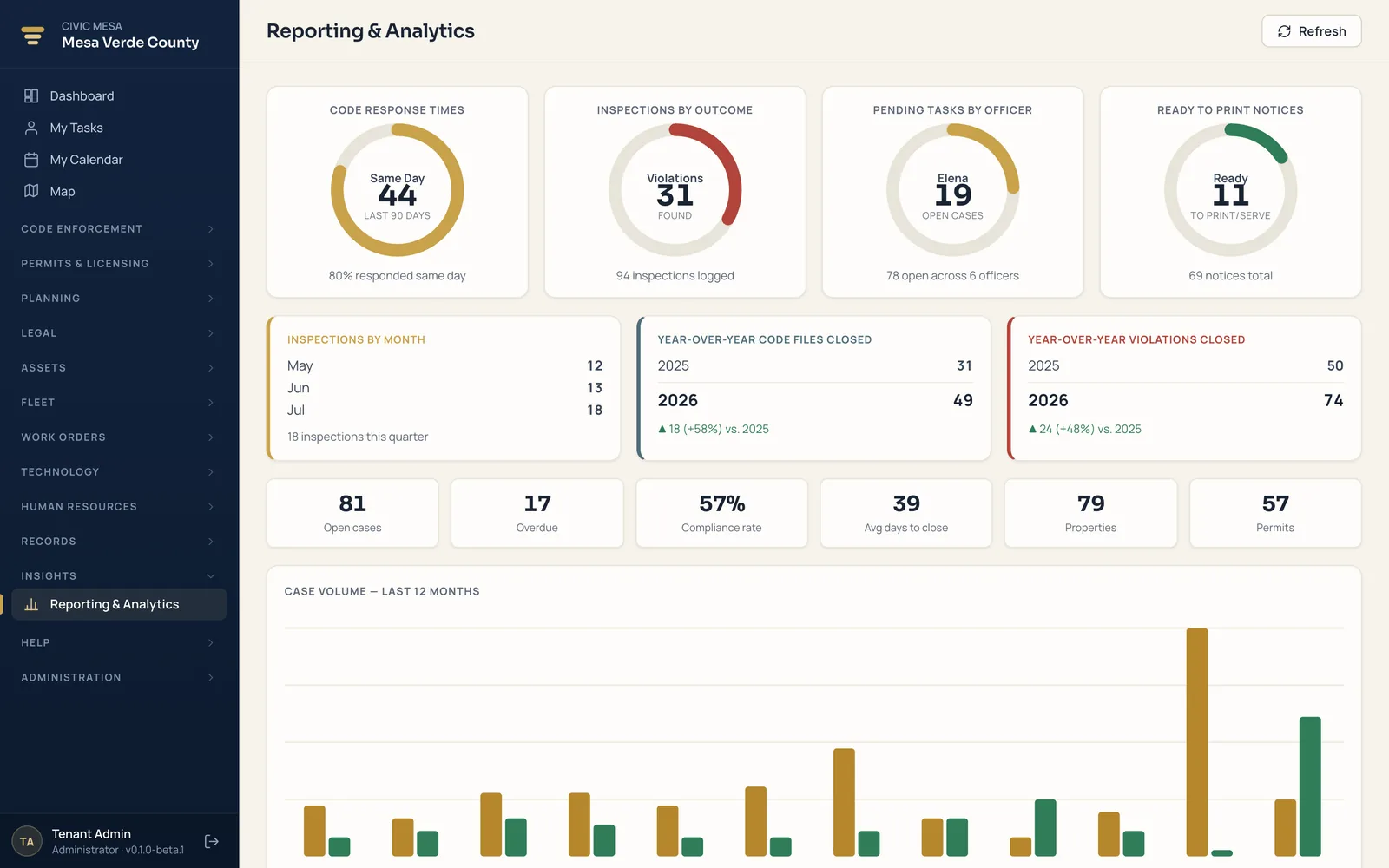
Dashboards and KPIs that read across every module — one set of numbers for the counter and the boardroom.
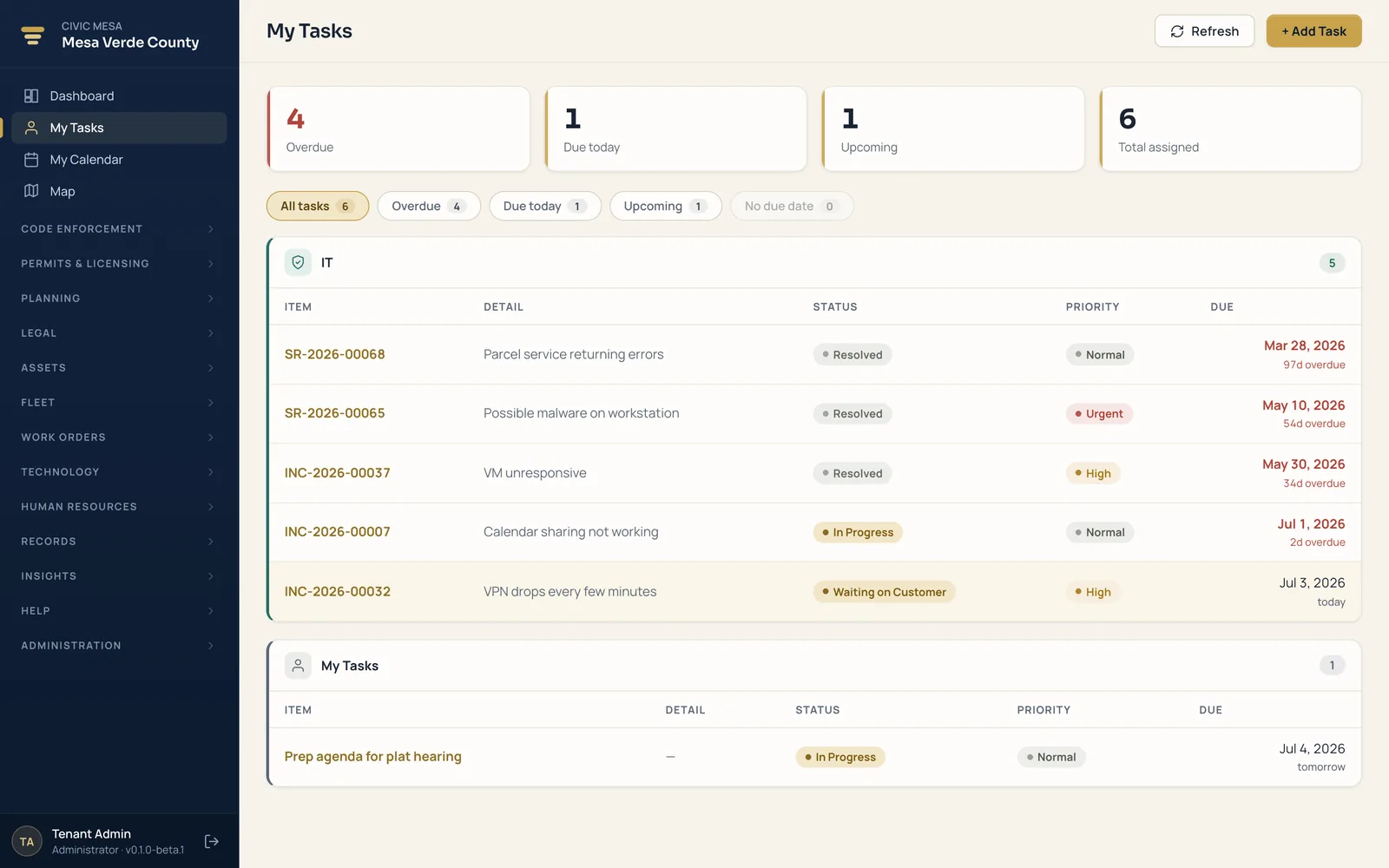
Every employee's own worklist across modules — inspections due, tickets, reviews, and follow-ups in one queue.
One record, end to end.
A single resident complaint travels the whole platform on the same case number — no re-keying, no re-import, nothing drifting out of sync between offices.
Resident reports tall grass at your branded portal.
Converted to a code case in one click.
Scheduled, geolocated, photo evidence attached.
PDF notice from your own template.
Escalates to Legal Enforcement — same file.
Same case number. Same evidence. No re-keying.
A front door for residents. One map for your staff.
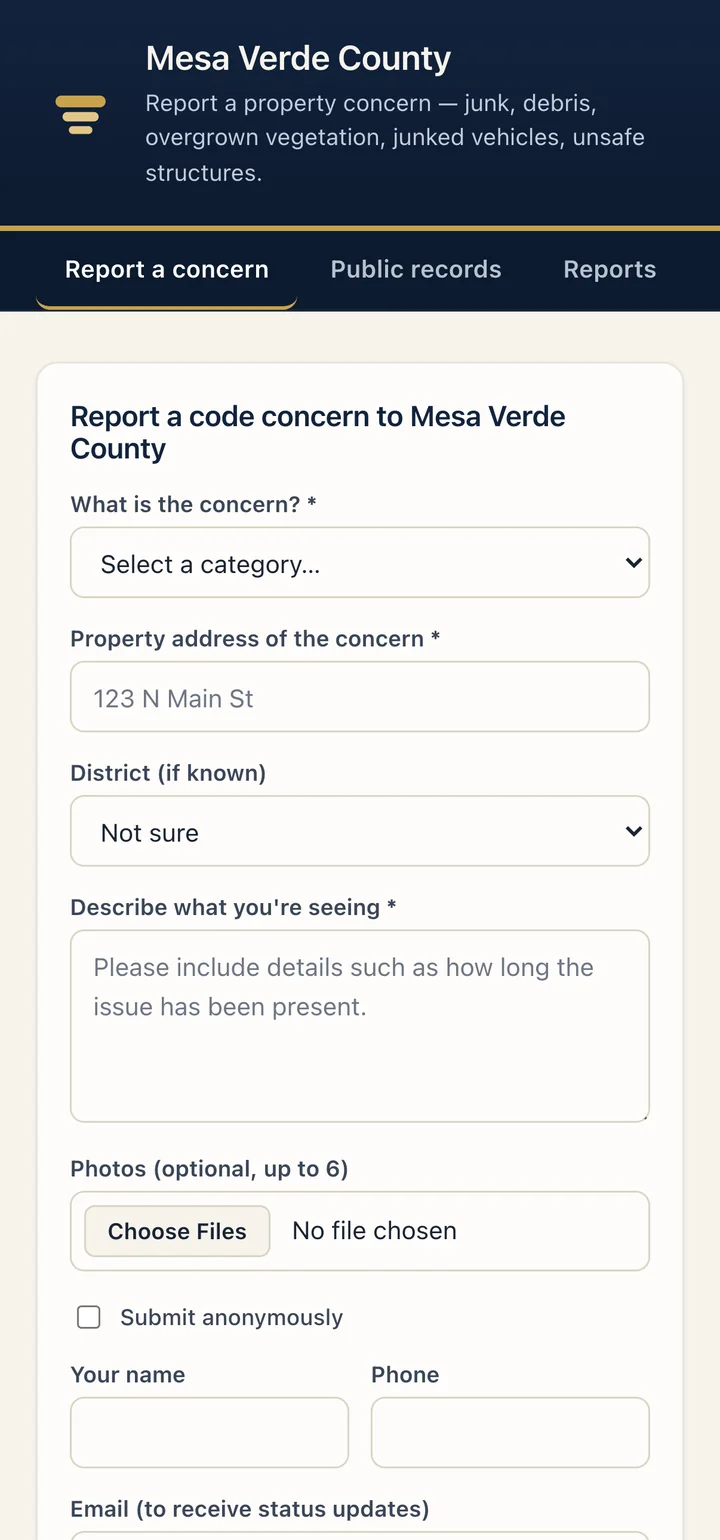
Give residents a branded place to report a concern and check status with no account — and see every open case and permit on a map of your jurisdiction.
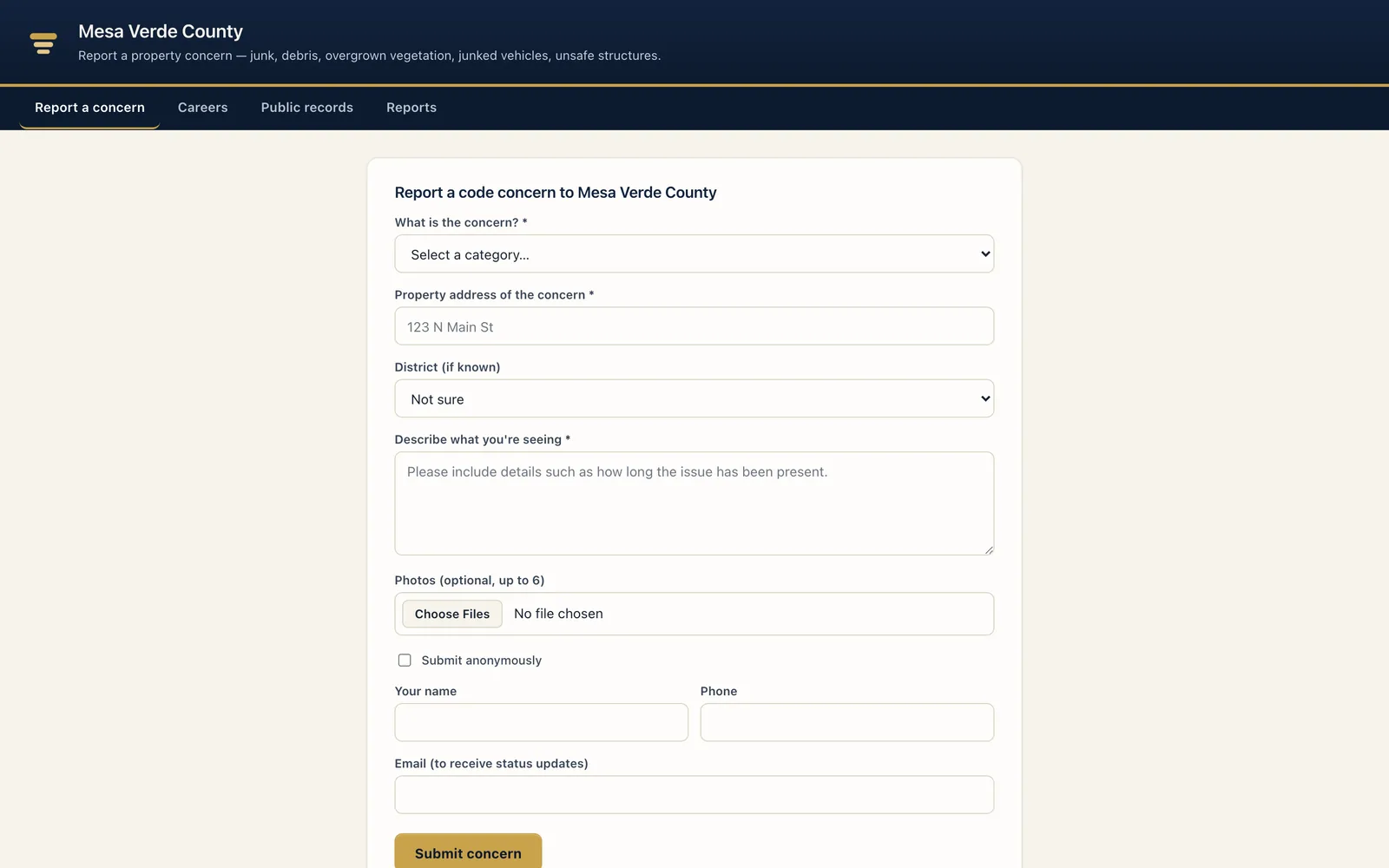
Your branded public front door — residents report a concern with no account, then check status by tracking code.
Per-jurisdiction ArcGIS — open cases and permits render as pins. Configure with no code.
Report with no account
Category, address, description, up to six photos — anonymously or with contact details for updates. No login to create.
Status by code
A tracking code lets residents follow a report from Received to Opened as a case — cutting "what happened?" calls to your front desk.
Your jurisdiction on one map
ArcGIS web map, embed, keyless basemap, or off — configured with no code, with cases and permits as pins and optional parcel lookups.
Publish only what you choose
Optional read-only transparency surfaces for permits, cases, and planning projects — each CSV-downloadable, off until you turn them on.
Your county's records, kept separate and safe.
Every jurisdiction's data is walled off from every other — kept apart in the database itself, not left to chance. Your staff sign in the way your county already does, and every change is on the record when an auditor asks.

One county can never see another's data. The separation is built into the database, so it holds even if someone makes a mistake in the software.
Access is denied by default. There's no hidden setting or back door that quietly opens up another county's records.
Use your county's existing Microsoft sign-in, so access follows the accounts your IT team already manages. Microsoft sign-in
Every county kept separate
Each jurisdiction's records are walled off from every other in the database itself — so one county's data never reaches another.
Closed by default
If the system can't confirm which county a request belongs to, it returns nothing. Access stays closed unless it's clearly allowed — the safe default.
Right people, right records
Staff get exactly the access their role needs, and nothing more. You set the permissions once, and the system enforces them everywhere.
Sign in with Microsoft
Use the Microsoft accounts your county already has, so access follows the people your IT team manages — nothing new to hand out or take back.
Every change tracked
Edits and status changes are recorded as they happen — who, what, and when — so you can answer a resident, attorney, or auditor straight from the system.
Secure cloud, your data portable
Runs on Microsoft's secure cloud, with nothing for your county to patch or maintain — and you can export your records any time. No lock-in.
We're glad to walk your IT and records team through exactly how it works, in plain terms. Civic Mesa is not SOC 2 certified; the protections above describe how the system actually works today.
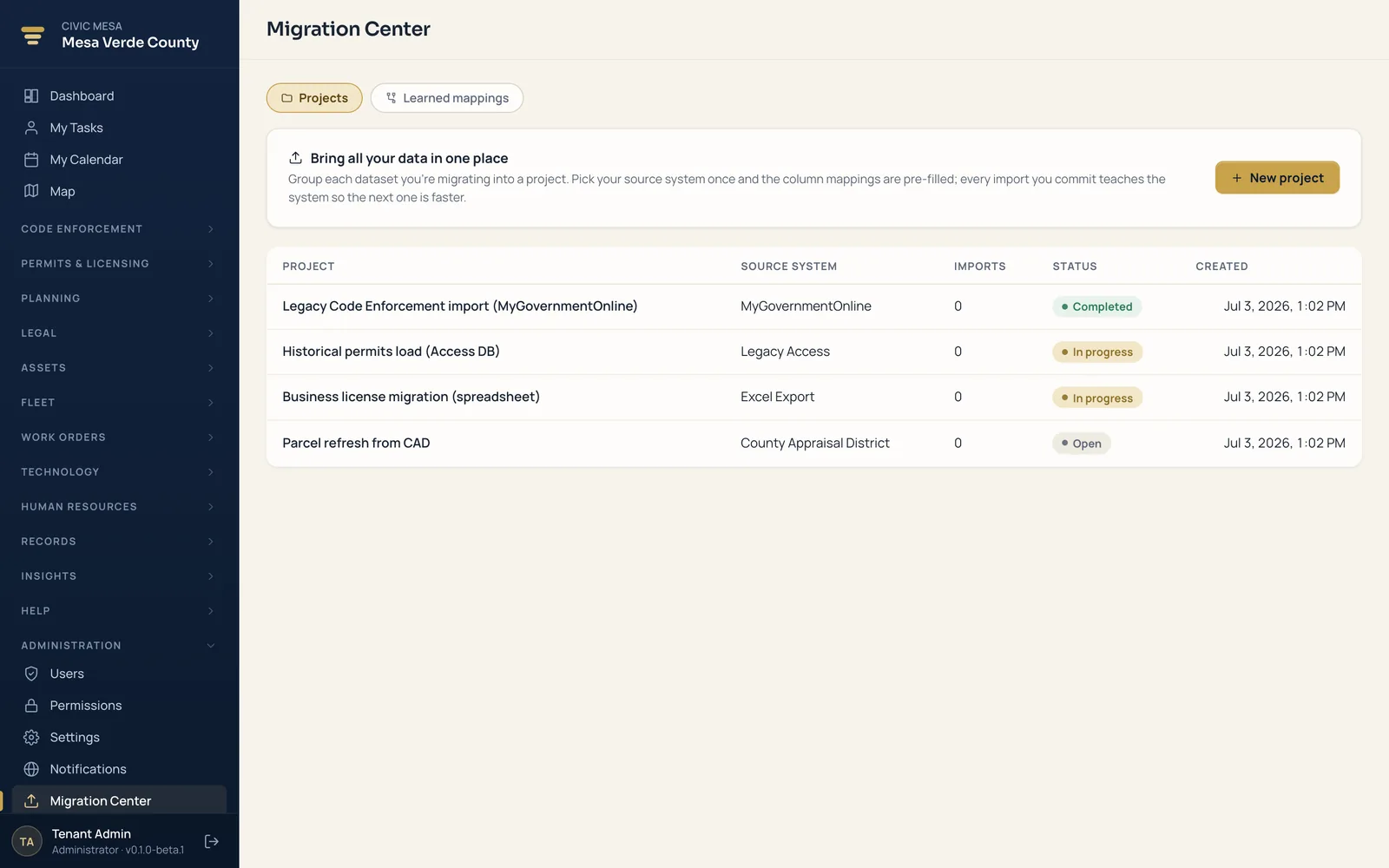
Switch vendors. Keep every record.
Bring your history over yourself in the Migration Center — no consultants, no clean-room project, no lock-in. Group each dataset into a project, and every import you commit teaches the system so the next one maps itself.
- Start from your real files. Upload the messy XLSX or CSV your current vendor exports. Pick the source system once, and the column mappings come pre-filled.
- Mappings that learn. Every committed import saves its column mappings, so the next dataset from the same system maps itself and imports faster.
- See it before you commit. A read-only dry run reports exactly what would import — zero rows written — so you reconcile the counts against your old system first.
- Commit all-or-nothing. The whole import lands in one transaction — and re-runs never clobber rows your staff edited by hand.
- Your data stays yours. Export your jurisdiction's records at any time. No lock-in, no exit fee, no ransom on your own history.
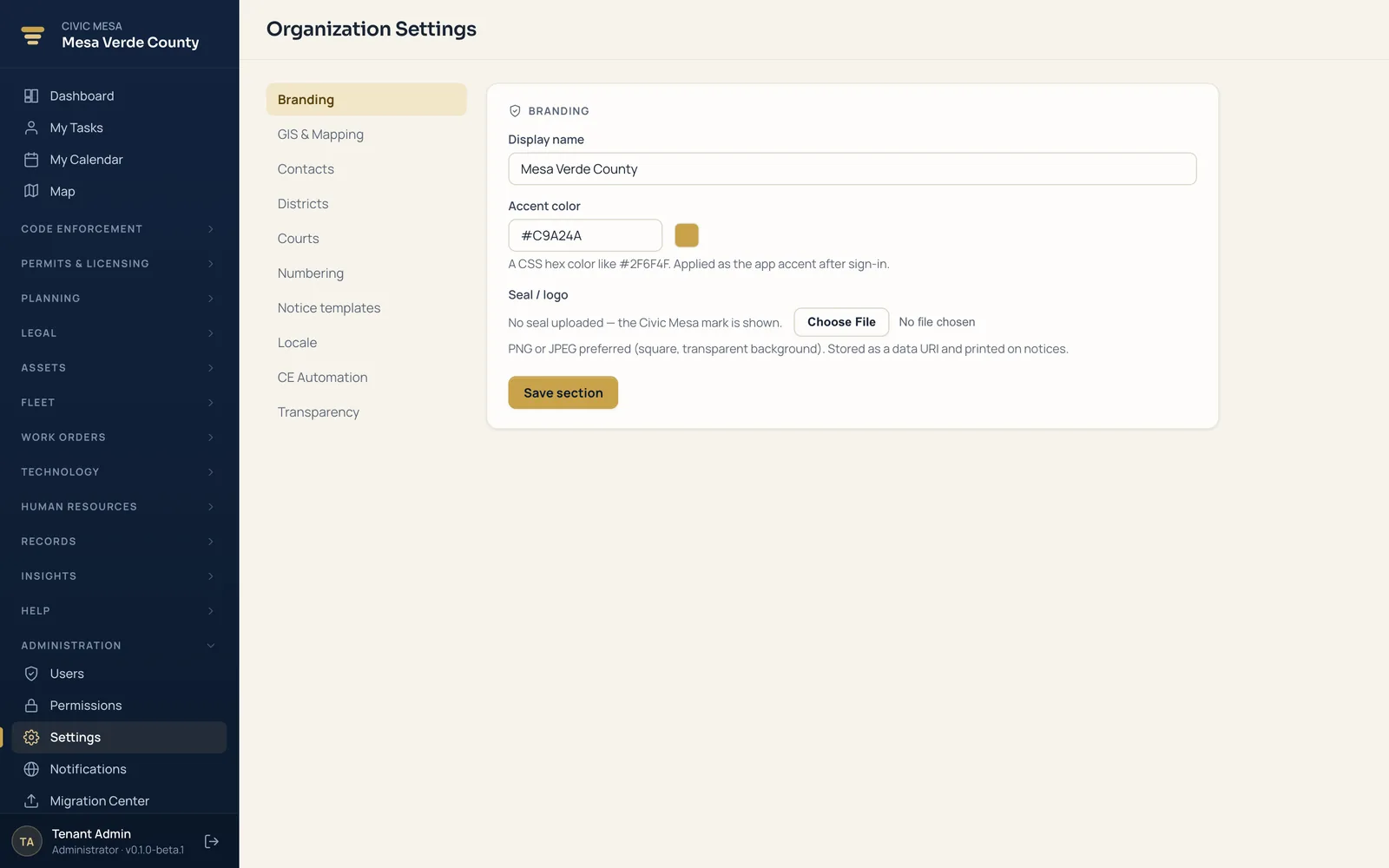
Make it your county's system.
Brand the app, define your jurisdiction, and manage your staff — all self-serve, all without code. What used to be a change order to your vendor is now a setting you own.
- Brand the app and portal. Your county name, your seal, your accent color — on the staff app and the public portal at
/portal/<your-county>. - Define your jurisdiction. Districts, courts, case and permit numbering prefixes, notice templates, and locale — numbers and notices come out the way your office already does them.
- Manage staff and roles. Add clerks, permit techs, and code officials and set what each role can see and do. People change; your access stays current without a support call.
One set of numbers everyone trusts.
Your dashboards read across every module you've turned on — from one data core, not five disconnected reports. Backlog, cycle time, fee revenue, and inspections due sit side by side, current as of your last action.
Cross-module KPIs
Backlog, cycle time, fee revenue, and inspections due — read across every module you've enabled, on shared data. Not five reports to reconcile.
Backlog & cycle time
See what you're carrying and how long work really takes, from intake to close — and spot where cases stall before the board asks.
CSV exports, one source
Pull the rows behind any number for a board packet, a finance reconciliation, or a records request. The figure on screen, in the export, and in the meeting all match.
Your county, in every pocket.
Civic Mesa was built for the phone, not just the desk. Residents report a concern and track it from the curb, and field staff pick up their work wherever they are — on iPhone and Android alike.
- Install to the home screenAdd Civic Mesa to any iPhone or Android home screen — it opens full-screen like a native app, straight from the browser.
- Report from where it happensResidents snap photos, drop a location, and file a concern in under a minute — no account, no download.
- Keeps working offlineDraft in the field with no signal; it syncs the moment you're back on a connection.
Native App Store and Google Play apps are on the way. Today the full platform installs to any phone straight from the browser — no store, no update to push, everyone always on the current version.
See it on your own jurisdiction.
Book a demo, then run a pilot with your county's real records, districts, and branding — no long procurement runway to prove it out. Import from your current vendor, dry-run first, and evaluate module by module. Your data stays portable, so there's no lock-in.
Book a demo
A working walkthrough mapped to your office's jobs — intake, cases, permits, mapping, and reporting on one data core.
Step 1Run a pilot
Stand it up on your own records and districts. Import from your current vendor, dry-run first, and evaluate module by module.
Step 2Keep your data
Export your jurisdiction whenever you want. Portable by design — no lock-in, no long procurement runway to get started.
Step 3